 Play Designer
Wristband play cards
How to Make a Football Wristband Play Card (Step by Step)
How to make football wristband play cards that fit and read at a glance: choosing and numbering plays, sizing, printing and cutting, plus a free template.
A wristband play card turns a play call into a number. The coach signals "14", the quarterback (or every player, in a lot of youth flag leagues) looks down at his wrist, finds box 14, and sees the play. No long verbal calls, no huddle, and no forgotten assignments.
Making cards that actually work on game day comes down to a few details: the right plays, a numbering system that doesn't change, a card cut to the exact size of the window, and diagrams big enough to read in a second. Here is the whole process, step by step, with a free printable template at the end.
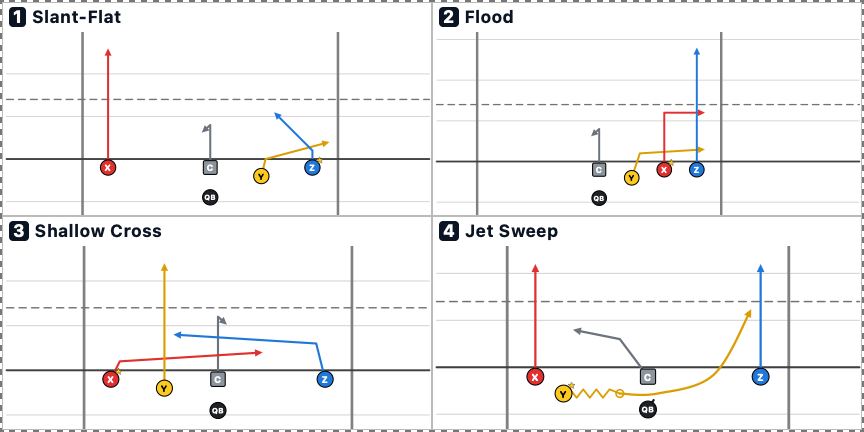
What you need
- Wristbands with a clear window. Often sold as "wrist coaches" or "QB wristbands". They come in single, double and triple window styles. One window is plenty for most youth teams.
- A printer and paper. Plain paper works; heavier card stock slides into the window more easily and holds up longer.
- Scissors or a paper trimmer. A trimmer gives straighter edges, which matters when the card has to fit snugly.
- A ruler, to measure the window.
- Optional: a laminator or clear tape, if the wristband's window isn't sealed and you play in the rain.
Step 1: Choose your plays
Put only plays your team has practiced on the card. A wristband reminds a player what to do; it doesn't teach the play. For a youth flag team, 4 to 8 plays is a good start. A tackle team with a bigger playbook might carry more, usually split into sections by situation.
Group plays by purpose so the card is easy to scan: quick passes together, runs together, red-zone plays together. If you use the same formation for several plays, put those next to each other.
Step 2: Give every play a number that never changes
The number is the call, so pick a system and keep it for the whole season:
- Simple numbering. Plays 1 to 8. This is best for young players.
- Numbering by series. Quick game in the 10s, runs in the 20s, red-zone plays in the 30s. The first digit tells everyone what kind of play is coming.
- Dummy digits. If you worry about the other sideline learning your calls, signal a two-digit number where only one digit is live, and agree which one before the game.
Whatever you choose, the number on the card, the number on your call sheet and the number in your practice plan must match. When a play changes, keep its number.
Step 3: Measure the window
Measure the inside of the wristband's clear window, width and height, in inches. Brands vary, so don't guess. These are the common insert sizes Play Designer has presets for:
| Size | Width × height |
|---|---|
| Youth | 4.5 × 2.25 in |
| Small youth | 4 × 2 in |
| Mini | 3.5 × 2.5 in |
| Adult medium | 4.75 × 2.5 in |
| Adult / varsity | 4.75 × 2.75 in |
If your window doesn't match a preset, use your exact measurement. A card that is too big won't go in; a card that is too small slides around and hides part of a play.
Step 4: Decide how many plays go on each card
More plays per card means smaller diagrams. Common layouts are 1, 2, 3, 4, 6 or 8 plays per card:
- 1 or 2 plays: large and very easy to read. Good for young players who wear their own wristbands.
- 4 plays: a two-by-two grid that still reads well on a youth card. This is the layout in the template below.
- 6 or 8 plays: only for older players who already know the plays and just need a reminder.
If you have more plays than fit on one card, make two cards and swap them at halftime, or use a double-window wristband.
Step 5: Draw plays that read at a glance
A wristband diagram is tiny, so cut it down to what the player needs:
- Put the number first and make it bold. The eye finds the number, then the play.
- Show every player in the same spot every time. If Z is always the outside receiver on the right, players learn to look there.
- Use thick, simple route lines with clear arrowheads. Leave out defenders unless the play depends on one.
- Mark the first read. A star or a filled circle tells the quarterback where to look first.
- Use color if you print in color, with one color per position. Players learn to find their color.
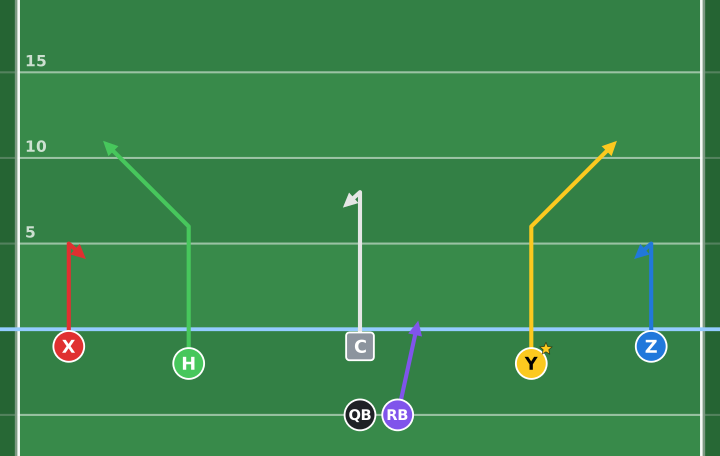
Here is play 1 from the card above at full size. On the card it is the same drawing, cut down to the field around the routes:
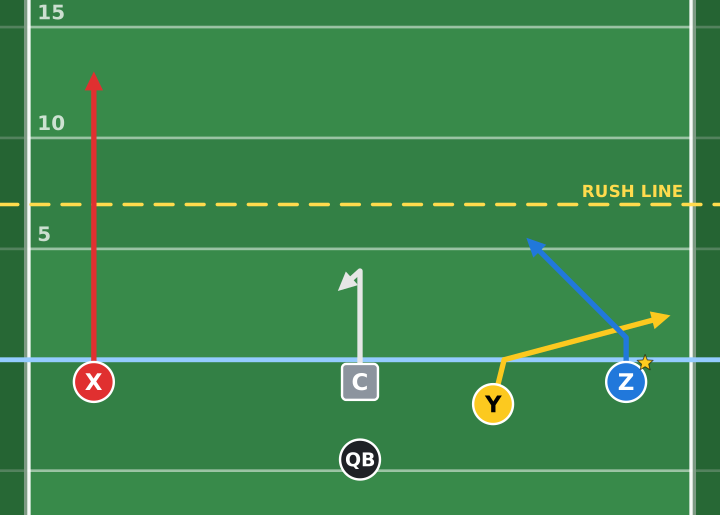
Hand-drawn cards work, but they are slow to redo every time a play changes. A play designer app draws them the same way every time, which is the point of the next step.
Step 6: Print at actual size
Print at 100% / Actual size, never "fit to page", or every card comes out the wrong size. Then cut one card and test it in a wristband before you cut the rest. If it is off, adjust the size and print again; paper is cheaper than a game-day scramble.
Pack as many cards on each sheet as fit, and print one set per player who wears a wristband, plus a spare set for your coaching bag.
Step 7: Cut, insert and check
Cut on the outside edge of each card's border. Slide the card into the window with play 1 at the top left, so every player reads it the same way. Then check each player's wristband before warm-ups: a card in upside down is a card nobody can use.
Keep your own copy of the card, or a call sheet with the same numbers, on your clipboard so you are calling exactly what the players see.
Making wristband cards in Play Designer
Play Designer, our iPhone and iPad app, handles Steps 4 to 6 for you:
- Open your playbook and tap the printer button.
- Choose Wristbands, then pick the plays and how many go on each card (1, 2, 3, 4, 6 or 8).
- Pick a card size from the presets above, or enter your window's measurements.
- Set how many copies of each card you need, one per player.
- Tap Print, or Save PDF to print later.
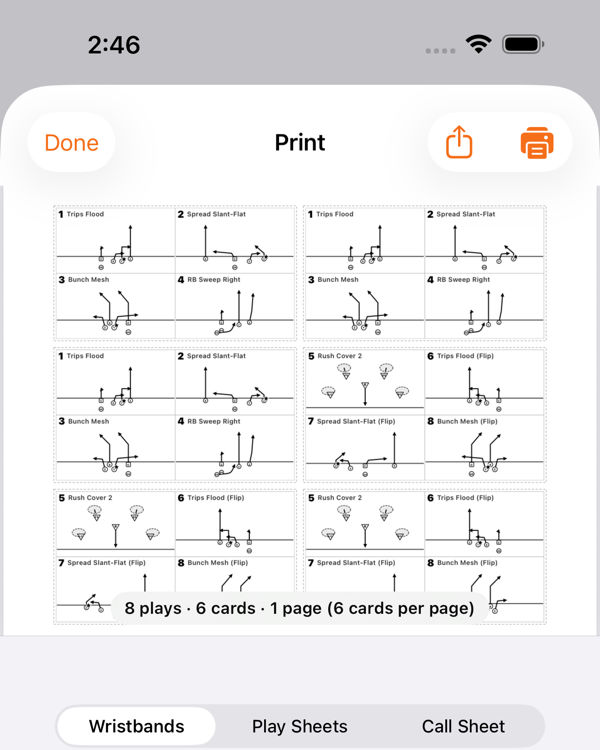
Cards are packed onto the page as tightly as they fit, and the play numbers match the playbook, the call sheet and the team link your players open on their phones. Play sheets (one play per page) and call sheets are on the same screen.
Free wristband card template
This PDF has the five plays from our 5v5 flag plays guide, four per card, on youth and adult cards, plus a page of blank numbered cards to draw your own. Print at actual size and cut on the dashed lines.
Watch the card's plays animated
FAQ
What size is a football wristband play card?
It depends on the wristband. Common youth inserts are about 4.5 × 2.25 inches and adult or varsity inserts about 4.75 × 2.75 inches, but brands vary. Measure the inside of the window and cut the card to that size.
How many plays can fit on a wristband?
Physically, a lot, but readability is the limit. Four plays per card reads well on a youth wristband. Older players can handle six or eight per card, or two cards in a double-window wristband.
Do all players wear wristbands in flag football?
In many youth flag leagues, yes: every player wears one so the whole team gets the play from a single number. In tackle, it is usually the quarterback, sometimes plus a few key players. Check your league's rules on equipment before game day.
More coaching guides
-
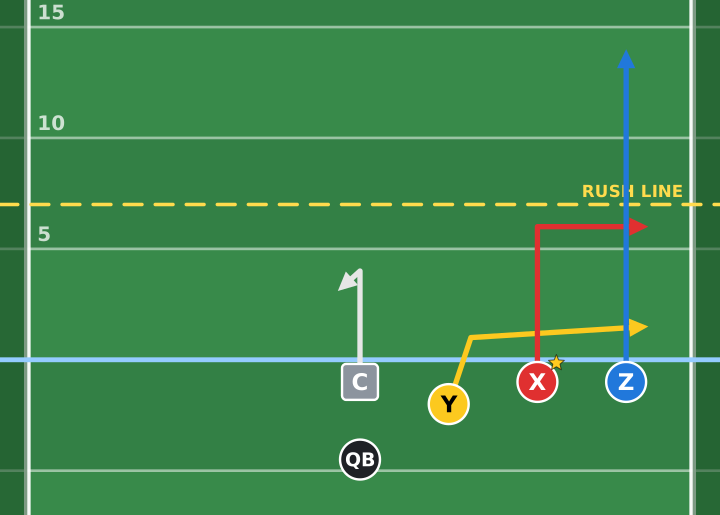 5v5 flag plays5 Simple 5v5 Flag Football Plays That Work (Free Printable Play Sheets)Five easy 5v5 flag football plays for youth teams, with diagrams, the quarterback's read for each, animated versions and free printable play sheets.
-
 7v7 passing concepts7v7 Football Plays: 6 Easy Passing Concepts for BeginnersSix 7v7 passing concepts for beginners (Stick, Smash, Flood, Mesh, Four Verticals and Drive) with diagrams, the read and what each one beats.